



Ajay Tools: All-in-One Excel Productivity & Dairy Management Add-in (70+ Tools)
Ajay Tools: All-in-One Excel Productivity & Dairy Management Add-in (70+ Tools) Original price was: ₹12,000.00.Current price is: ₹4,999.00.
Back to products

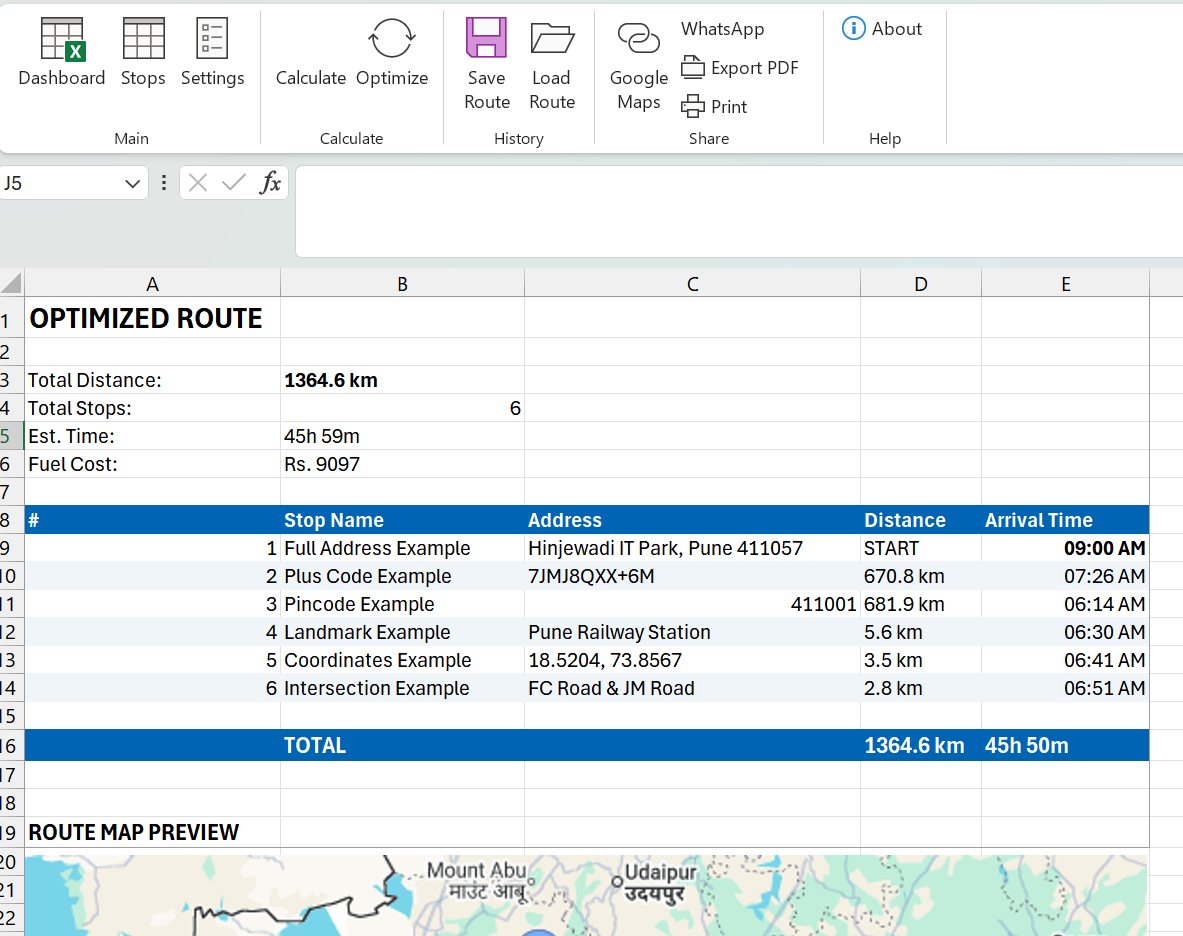
Route Planner Pro – Excel Add-in | Route Optimization Tool

Route Planner Pro – Excel add-in for route optimization. Save 20-30% fuel with TSP algorithm. Multi-vehicle support, Google Maps integration. One-time payment ₹2,999. Download now!

Hurry and get huge discounts

Original price was: ₹3,900.00.Current price is: ₹2,900.00.

0 People watching this product now!

Payment Methods:

Description

🚗 Route Planner Pro

Excel Add-in for Smart Route Optimization

₹3,999
₹2,999
25% OFF

✅ One-time Payment | ✅ Lifetime License | ✅ 1 Year Free Support

💎 Pricing

🔥 LIMITED TIME OFFER

₹3,999
₹2,999

One-time payment • Lifetime license

  • ✅ Full Version – All Features
  • ✅ Lifetime License (Single User)
  • ✅ 1 Year Free Updates
  • ✅ Email + Phone Support
  • ✅ User Guide & Documentation
  • ✅ Sample Data Included

✅ Secure Payment via Razorpay/UPI

🚀 Ready to Optimize Your Routes?

Stop wasting fuel and time. Start optimizing today!

₹3,999
₹2,999

✅ 30-Day Money Back Guarantee
✅ Instant Download After Payment
✅ 1 Year Free Updates & Support

# Installation Guide – Website HTML Version
## Copy this to WordPress (Text/HTML mode)

📥 Installation Guide

Route Planner Pro – Easy Setup in 4 Steps

1

Download & Extract

  • Download RoutePlannerPro_v2.0.zip
  • Right-click → Extract All
  • Open extracted folder

2

Run Installer

  • Double-click RoutePlannerPro_Setup.exe
  • If Windows shows warning → Click “More info”“Run anyway”
  • Click Install → Wait for completion
  • Click Finish

3

Enable Add-in (One-time only)

  1. Open Excel
  2. Go to File → Options
  3. Click Add-ins (left panel)
  4. At bottom: Manage: Excel Add-ins → Click Go
  5. Check ✅ Route Planner Pro
  6. Click OK

4

Start Using!

🎉 Look for “Route Planner” tab in Excel ribbon!

🔧 First-Time Setup: API Key

  1. Click Settings in Route Planner tab
  2. Enter your Google Maps API Key
  3. Click Save

💡 Need API Key? See API_SETUP_GUIDE.txt in package or contact support.

❓ Troubleshooting

Tab not visible Go to File → Options → Add-ins → Enable it
Windows blocks install Click “More info” → “Run anyway”
Security warning Trust Center → Enable macros

📞 Need Help?

Call: 9112344747

Email: support@primedigitaloffice.com

Specification

Overview

File Format

xlsx

Licence Type

Single-user license

Application Support

Microsoft Excel

Update

On Demand

Customer Reviews

0 reviews
0
0
0
0
0

There are no reviews yet.

Be the first to review “Route Planner Pro – Excel Add-in | Route Optimization Tool”

Your email address will not be published. Required fields are marked *